Pomodoro timer

The focus timer that learns how you work.

Set an intent, focus for a stretch, then tell Pomma how it went with one tap. Over a few days it shows you when, how and for how long you focus best.

App Store SOON Google Play

Out now on Google Play, coming soon to the App Store. Free to use, with an optional one-time Premium unlock.

  • No accounts
  • No ads
  • No subscription
  • iPhone, iPad, Android
Pomma's plum timer filling with juice partway through a focus session
The rhythm

Four sprints, then a proper rest

This is one full cycle at Pomma's starting settings, drawn to scale: about two hours of work with the breaks already built in.

Begin with intent

Before a session starts, pick the one task and how you will approach it: Deep, Quick, Easy, Goal or Calm.

Focus until the bell

The plum fills as the minutes pass and the screen stays awake. If you leave the app, a notification tells you when the session ends.

Check in, then rest

Scattered, Steady or Flow: one tap. Then five minutes away from the work, and Pomma asks whether you really stepped away.

Inside the app

Seven screens. Nothing extra.

A timer, a check-in, a task list, your insights and your settings. Swipe to see them all.

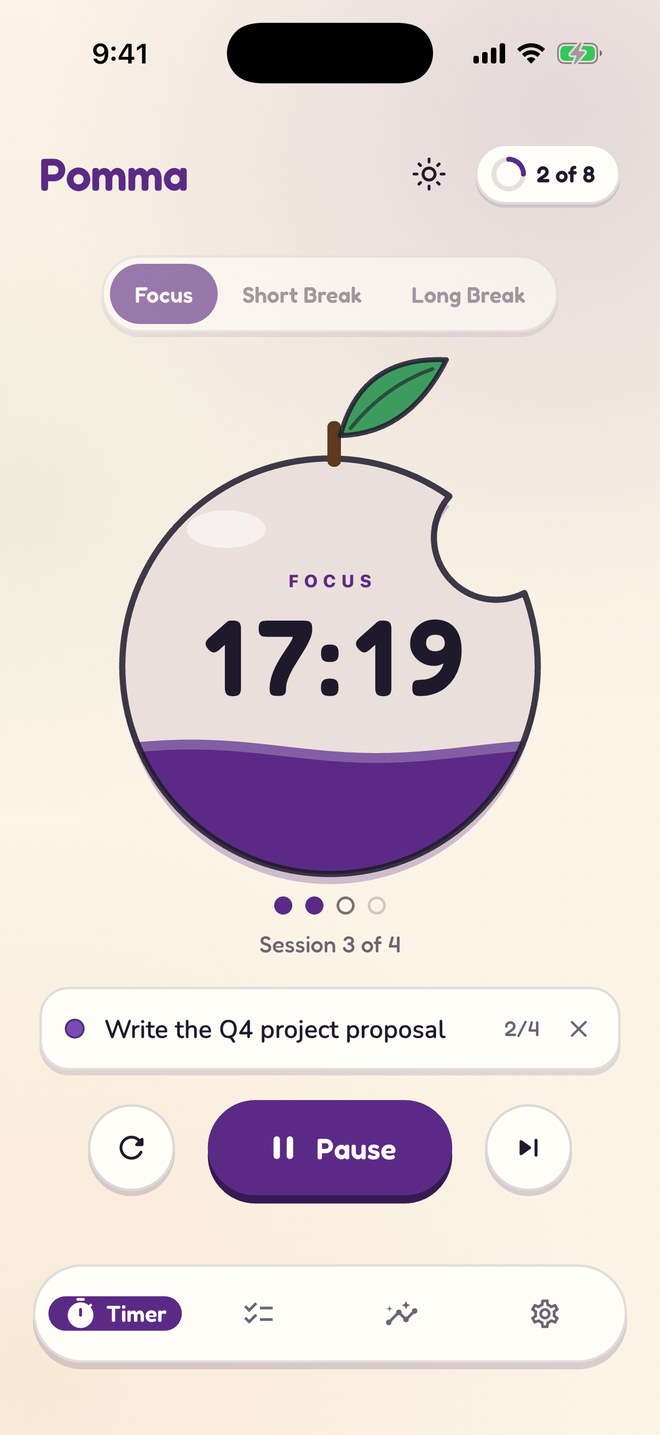
The plum timer partway through a focus session, session 3 of 4

Focus

The plum fills with juice as the session runs.

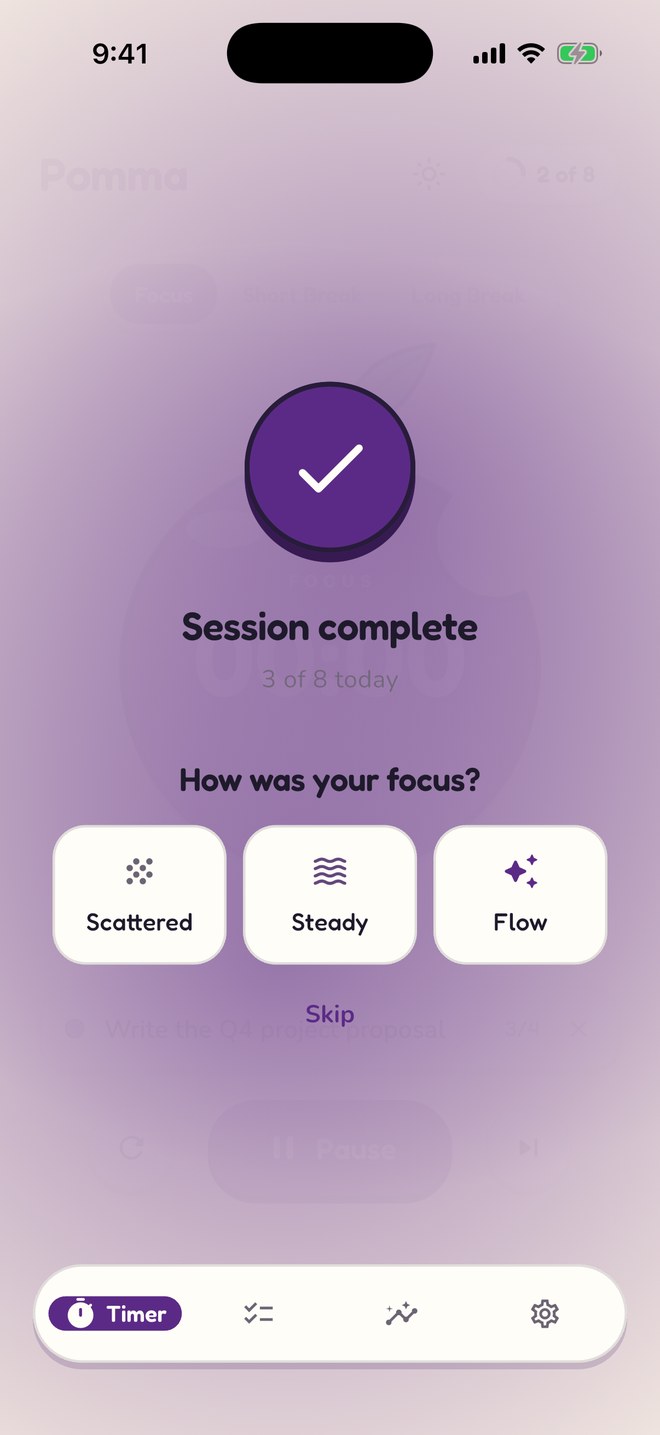
The check-in after a session: Scattered, Steady or Flow

Check-in

One tap when the session ends: how was your focus?

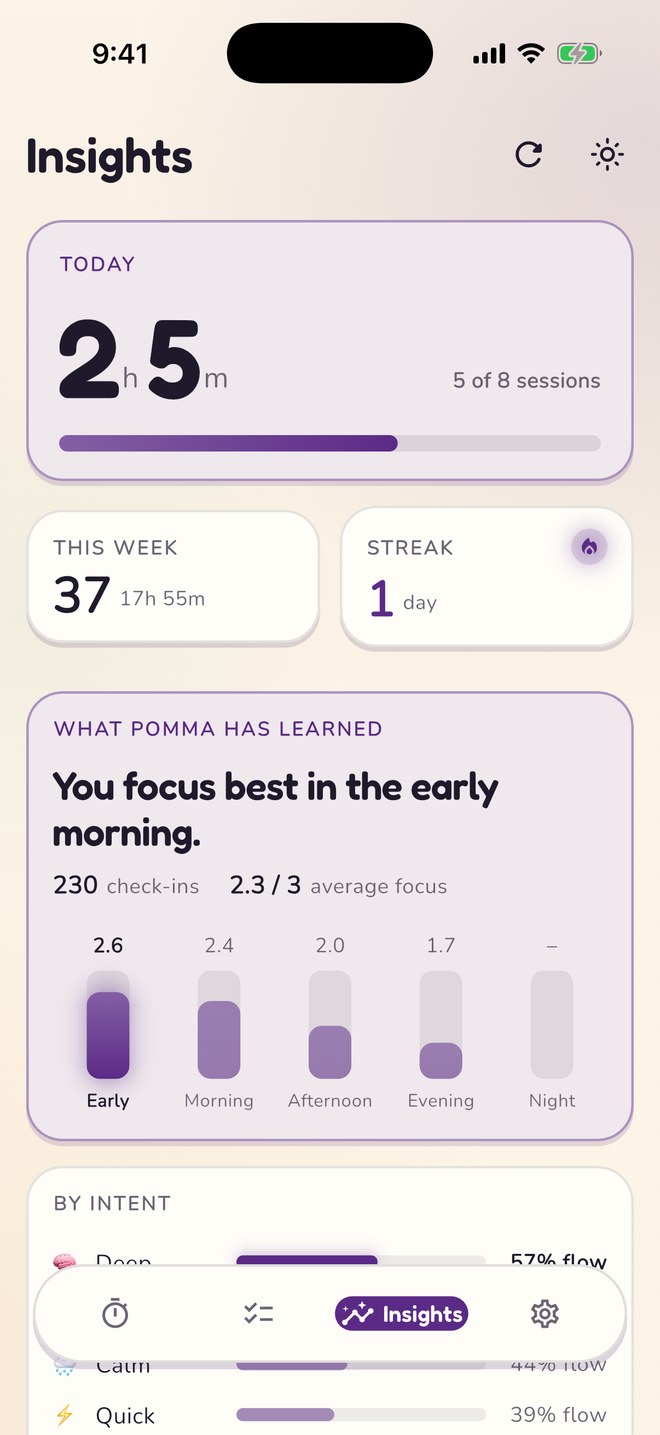
Insights showing the best time of day to focus and a breakdown by intent

Insights

What Pomma has learned: your best time, intent and length.

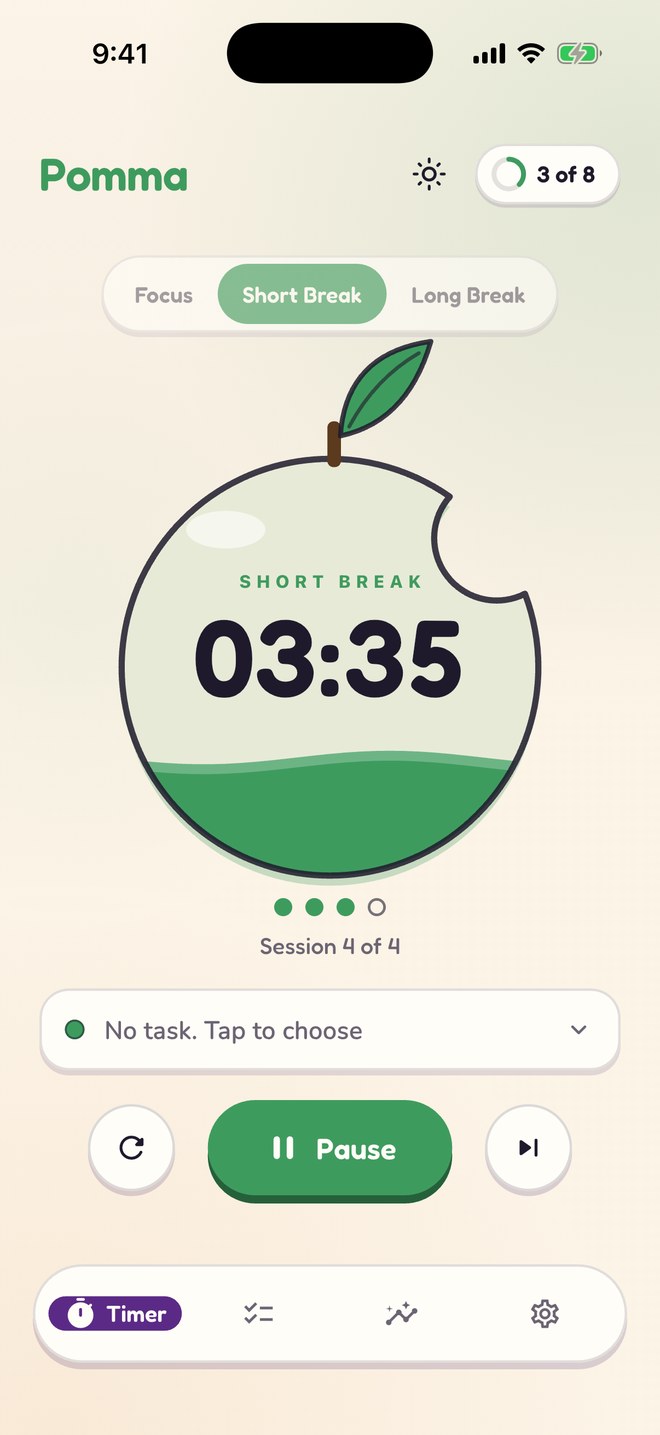
A short break: the fruit turns leaf green

Breaks

On a break the plum turns leaf green, so a glance says which you are in.

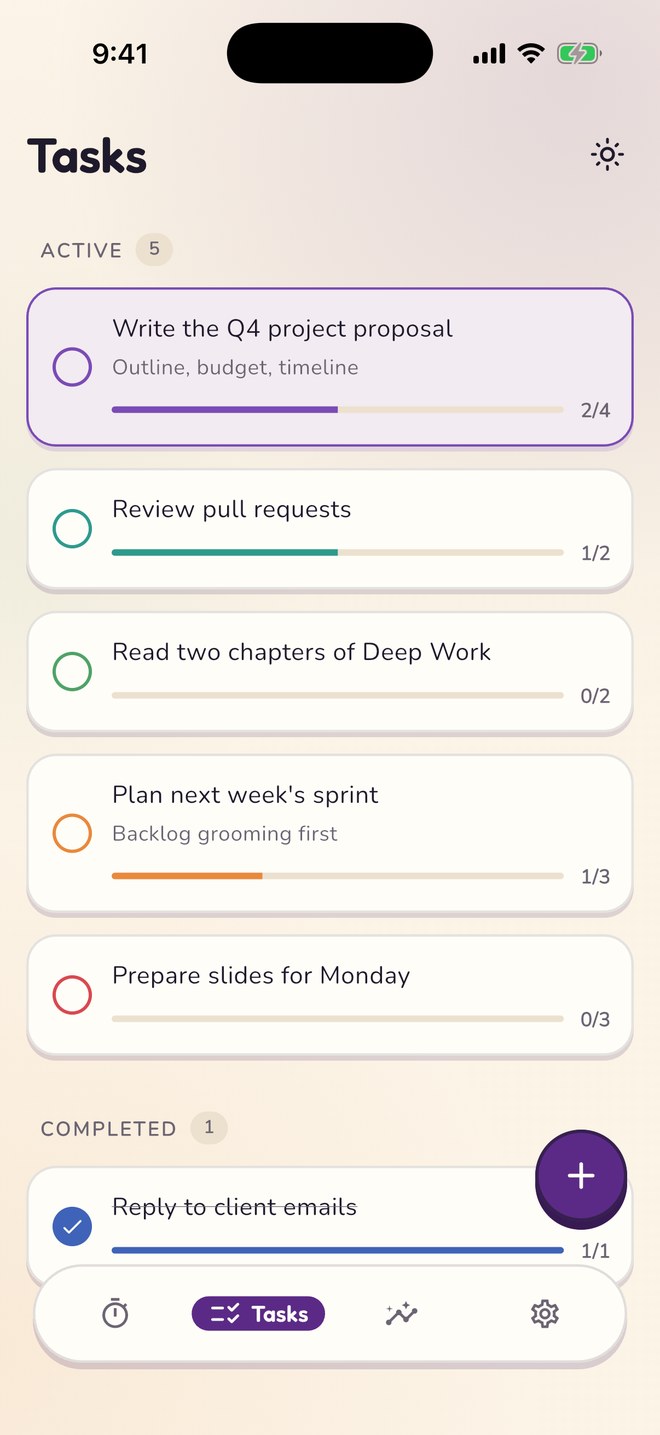
A task list with progress bars showing sessions done against sessions planned

Tasks

Estimate each task in sessions and watch the bar fill.

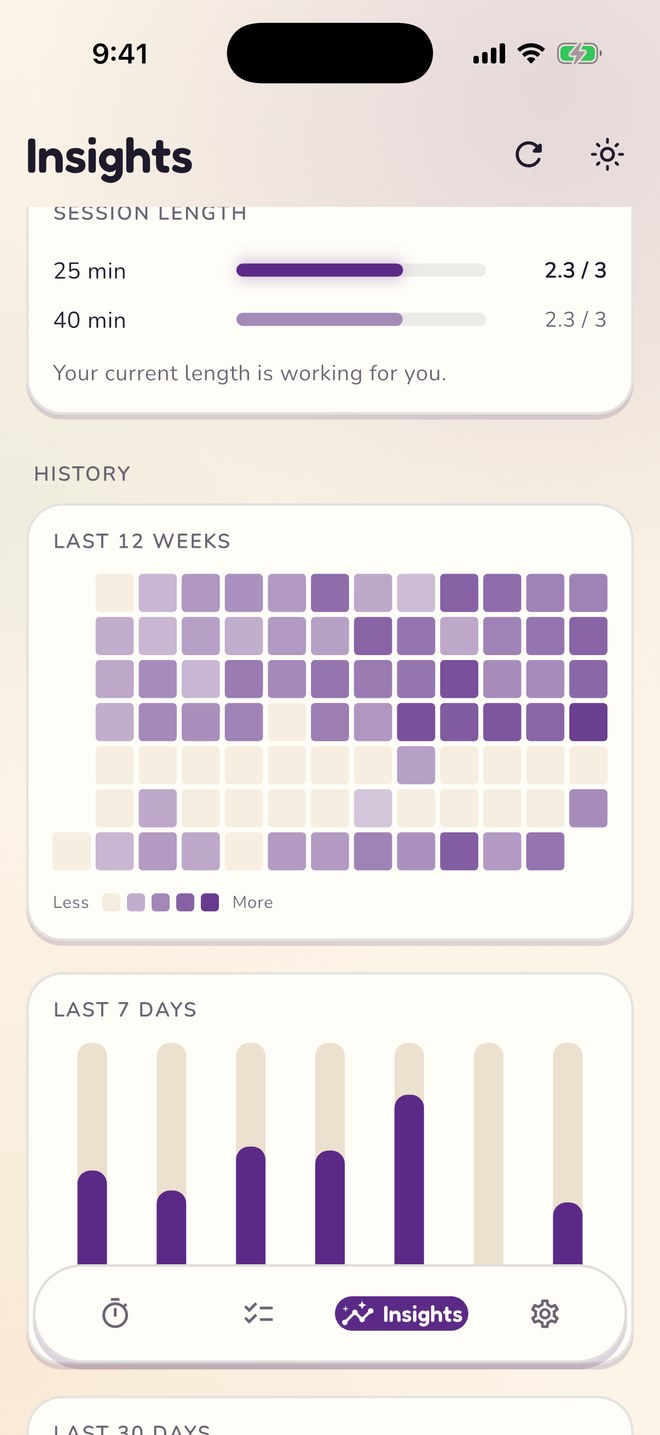
Twelve weeks of history as a heatmap, and the last seven days

History

Your streak and twelve weeks at a glance.

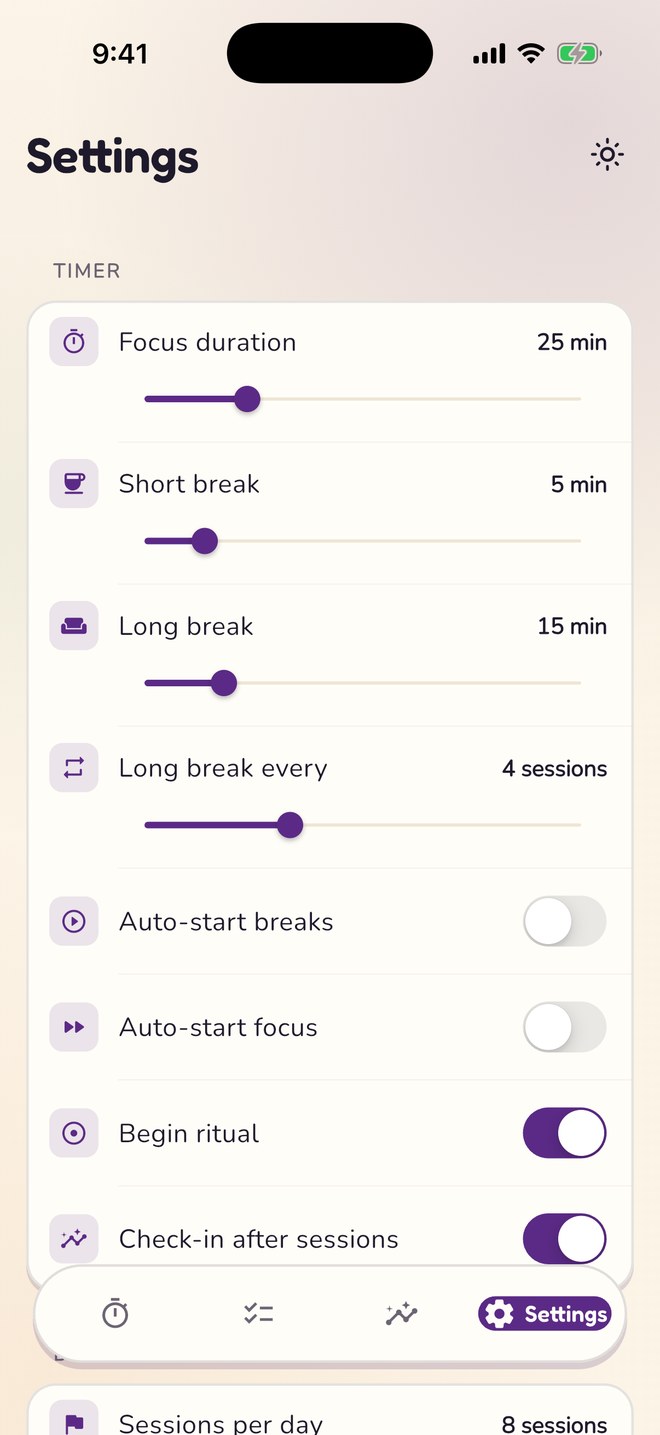
Settings with sliders for focus, short break and long break lengths

Settings

Focus from 5 to 90 minutes. Breaks to match.

The details

Small things, done properly

Insights, worked out on your phone

After five check-ins Pomma starts to tell you the time of day, intent, break habit and session length that go best for you, and offers to switch to the better length.

A daily goal

Set how many sessions make a good day. Pomma counts them, marks the day when you get there, and keeps your streak.

Sounds you choose

Four alarms: Bell, Chime, Digital and Gentle. A soft or classic tick if you like one, silence if you do not. Haptics and volume are yours too.

On your Lock Screen iOS

A Live Activity shows the running session on the Lock Screen and in the Dynamic Island, so you never unlock just to check the time.

Widgets iOS

Home Screen widgets in two sizes, and Lock Screen widgets, show today's sessions against your goal.

Paper and ink

Cream paper by day, plum ink by night. Follow the system or choose for yourself; every palette is tuned for both.

Free and Premium

The whole timer is free

Premium adds colour and supports the one person who makes Pomma. You pay once. There is no subscription.

Free

Everything you need

  • The timer, with every setting
  • Unlimited tasks
  • Every check-in and insight, plus history
  • Live Activity and widgets on iOS
  • Three palettes
  • Plum
  • Cherry
  • Olive
Premium ยท one-time

Three more palettes

Blueberry, Grape and Ink, yours on every device signed in to the same store account. Restore the purchase from Settings at any time.

  • Blueberry
  • Grape
  • Ink
Private by default

Your focus is your business

Sessions, check-ins, tasks and insights are stored on your device and nowhere else, and the insights are worked out there too. Pomma has no accounts, no ads and no analytics. Read the privacy policy.

Ready when you are

Pomma is out now on Google Play and on its way to the App Store. This page will carry the App Store link the day it goes live.

App Store SOON Google Play